Tracepaper

Does your page match the design?
Now you'll know, pixel for pixel.

Tracepaper lays your design on top of the live page in Chrome, so every misaligned heading, wrong margin and off-by-one button jumps out.

Unlimited layers on the free plan. No tracking. Runs only when you click it.
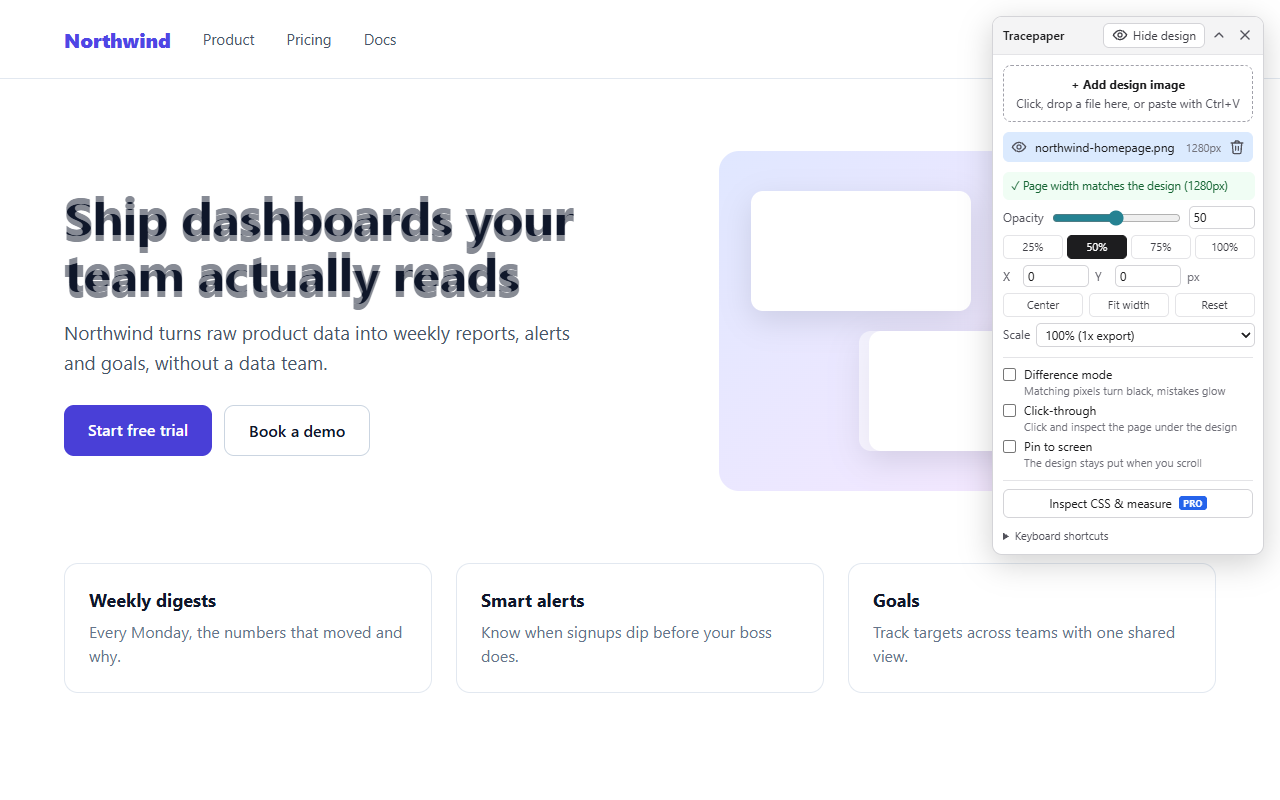
A design mockup overlaid at 50% opacity on a live landing page, with the Tracepaper panel open

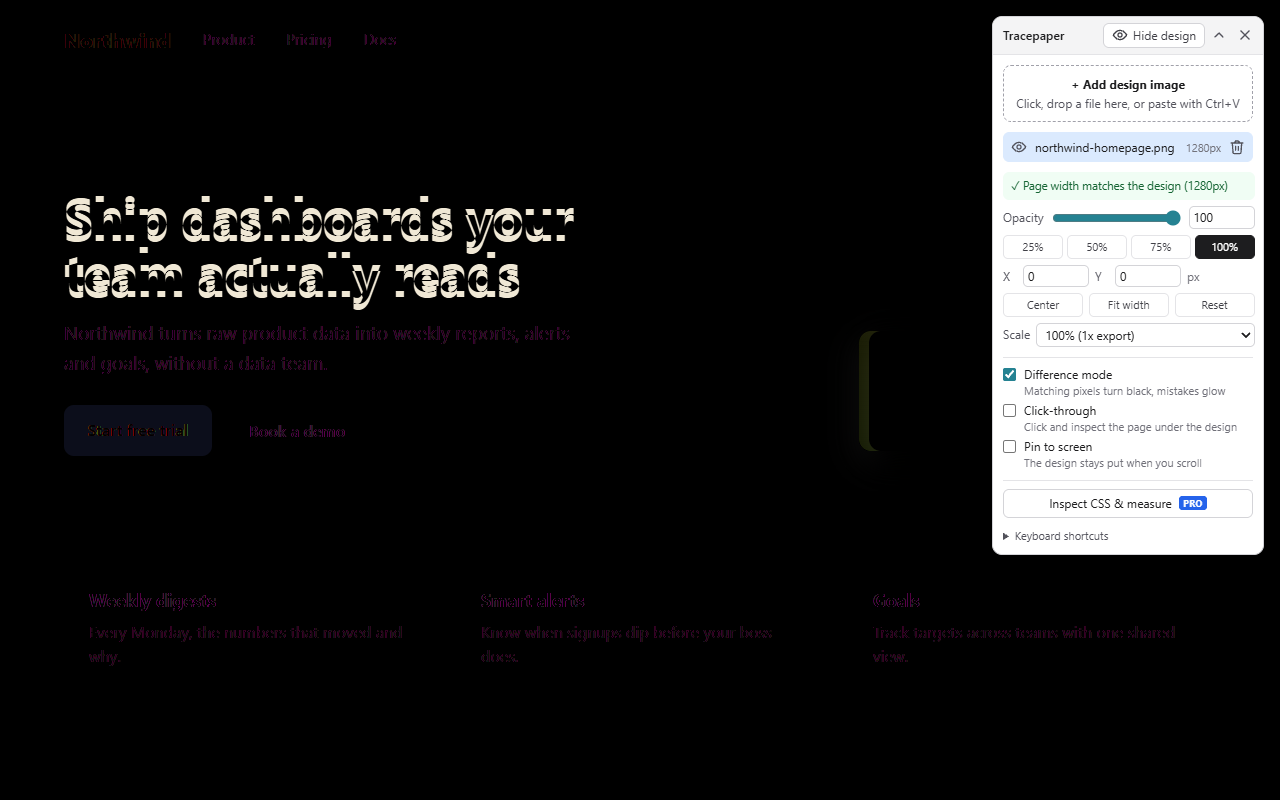
Mistakes glow. Matches go black.

Turn on Difference mode and every pixel that matches the design disappears. What's left is exactly what needs fixing: a heading 6px too low, a button in the wrong shade, a card that drifted.

Difference mode: the page is black except for the heading, button and card that don't match the design

Everything the overlay needs, free

No layer limits, no nag screens.

Unlimited layers

Stack desktop, tablet and detail exports. Show, hide, rename and reorder them per page.

Match window

One click resizes the browser so the page is exactly as wide as your design.

Retina aware

@2x and @3x exports are scaled automatically. Center and Fit width in one click.

Nudge to the pixel

Arrow keys move 1px, Shift+Arrows 10px. Opacity presets and an exact X/Y readout.

Click-through

Inspect the real page under the overlay with DevTools while the design stays visible.

Saved per page

Come back tomorrow and your layers are where you left them. Paste screenshots with Ctrl+V.

Pro: inspect and measure anything

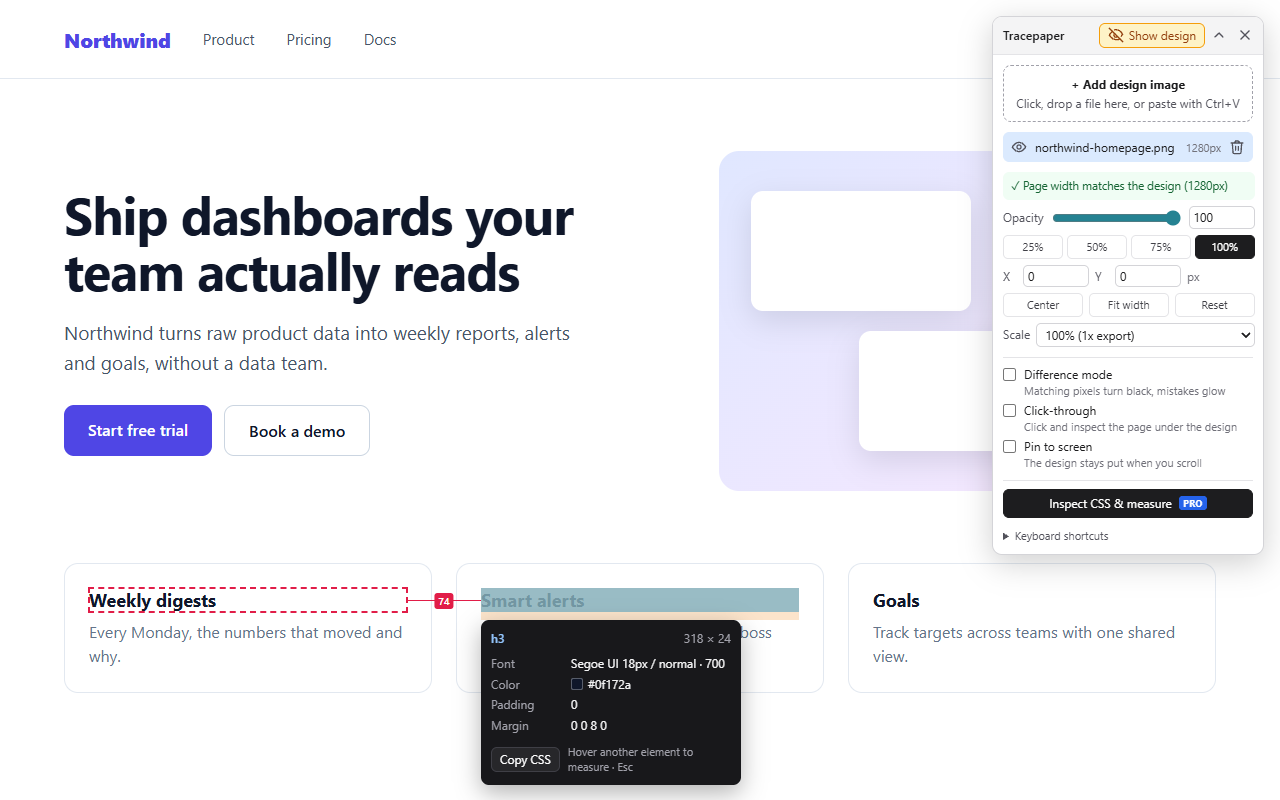
Hover any element to see its font, size, colors, padding and margin. Copy its CSS in one click. Pin one element and hover another to measure the gap between them.

The CSS inspector card showing font, color, padding and margin, with a 74px gap measured between two headings

Built to respect your browser

Runs on click

No "read and change all your data" permission. Tracepaper only touches the tab where you click it.

No tracking, no pop-ups

No analytics, no ads, nothing injected into the sites you visit.

Leaves pages alone

The overlay is isolated from the page, so it never breaks layouts or edits the page's HTML.

Pricing

The overlay is free forever. Pro adds the CSS inspector.

Free

$0
  • Unlimited overlay layers
  • Difference mode, Match window
  • Retina scaling, nudging, click-through
  • Layers saved per page
Add to Chrome

Pro

$4.99 / month

or $39 / year (save 35%)

  • Everything in Free
  • CSS inspector: fonts, colors, spacing
  • Copy CSS in one click
  • Measure distances between elements
  • 7-day free trial
Start with the free version

Questions

What image formats work?
PNG, JPG, WebP or GIF. Export the frame from Figma, Sketch, XD or Photoshop, or paste a screenshot with Ctrl+V.
Is my design uploaded anywhere?
No. Images stay in your browser's local storage on your computer and are never sent to us.
Why doesn't my design line up?
Usually the browser window is a different width from the design. Click "Match window" in the panel and Tracepaper resizes the window for you.
Does it work in Brave, Edge and Arc?
Yes, in any browser that installs extensions from the Chrome Web Store.
Can I cancel Pro?
Any time. See the refund policy for details.